
Quicken: Intelligent Money
Quicken Inc.Finance
4.71.36K Reviews
- Version
- Varies With Device
- Installs
- 500.00K
- Age Rating
- Everyone
Screenshots
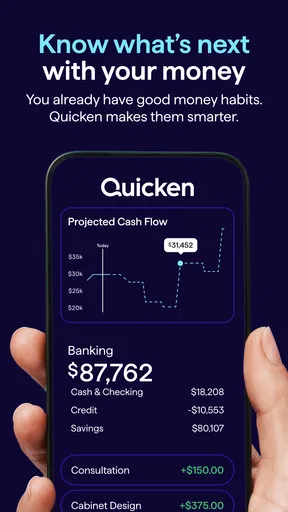
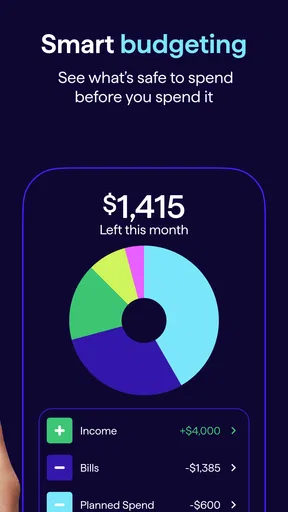
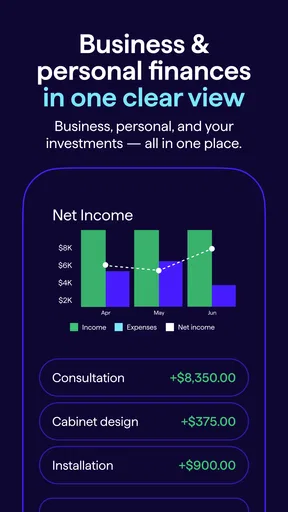
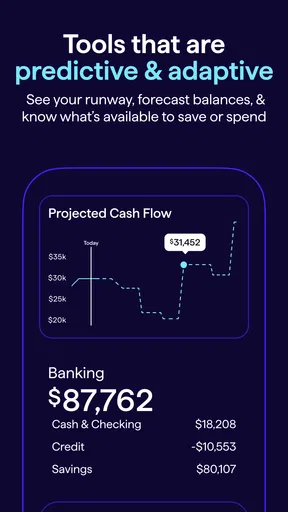

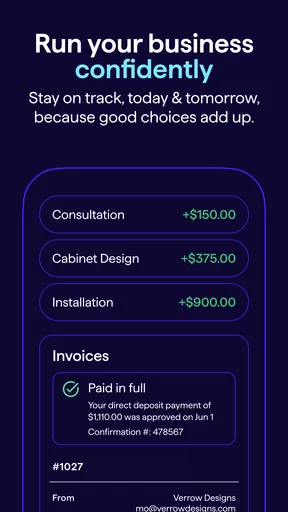
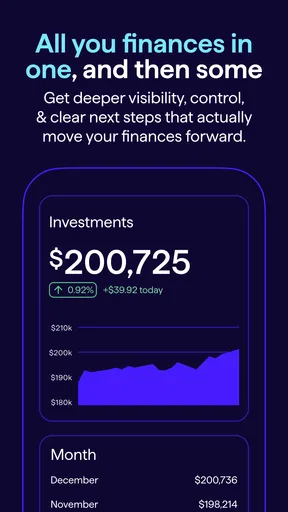
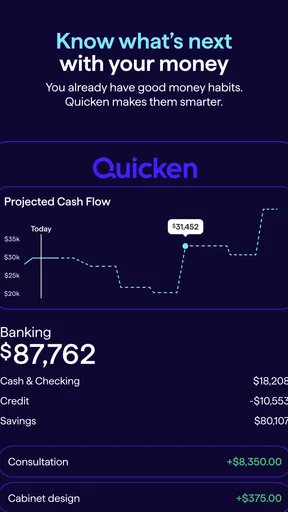
Our Review of Quicken: Intelligent Money
 Analysis by Appyee
I find that a finance app is only as useful as it is at the moment I need to make a decision. A budget can look clear on a calm evening, then feel less helpful when I’m standing in a shop and trying to remember what else is due before payday. Quicken Simplifi: Budget Smart is built around keeping everyday money in view, and that makes it most appealing to people who want a current overview rather than a spreadsheet they have to rebuild by hand.
There is an important trade-off in that approach: the app’s usefulness depends in part on being able to bring financial information together. When a bank connection needs attention, or a transaction has not appeared yet, the screen may not answer a question as quickly as I want. I would treat the app as a practical guide to my finances, not as the final word on whether a purchase is safe. For a major payment, I would still check the account itself.
When a connected overview helps most
Quicken Inc. makes this finance app for people who would rather review a combined picture than open several banking apps and mentally add up the balances. That is a genuine convenience when income and spending are spread across accounts. It also changes the way I would use a budget: instead of entering every purchase immediately, I can review what has arrived, check whether it has been categorized sensibly, and then decide what deserves attention.
A useful habit is to make a short weekly review rather than waiting until the end of the month. I would scan recent activity, correct any category that does not match the real purchase, and compare the remaining spending plan with bills still to come. That small correction matters: a miscategorized expense can make one area look tighter and another look healthier than it really is. The app is more helpful when I treat its summaries as a starting point and keep the underlying picture tidy.
Using it away from the desk
The phone format suits quick checks: before ordering lunch, while comparing a household purchase, or after a card transaction that I do not recognize. A fast glance can help me remember how much room I have in a category, but I would avoid making a rushed decision based on a screen that may not yet reflect the latest activity. If the connection is slow or an account needs refreshing, a balance can be less useful than it appears.
For a realistic routine, imagine payday arriving while a few recurring bills are approaching. I could check the overall view, set aside what those obligations require, and then use the spending plan to judge whether there is room for a weekend outing. The point is not to let an alert make the decision for me; it is to use the overview to notice the trade-off before I spend. That makes the app more of a prompt for deliberate choices than a strict gatekeeper.
Limits, fit, and the small-business angle
The app is free to download, is rated for Everyone, and has in-app purchases ranging from $8.99 to $95.90 per item. It has a 4.3 average from around 4,200 ratings, with over 500,000 installs. I would check the purchase details in the app before committing, and think about whether I will use its ongoing tools often enough to justify paying. The release date is October 1, 2019, and the version available to me may change as the developer updates it.
Quicken Simplifi also includes tools for small business, which may be useful if I want personal and business money tasks in one place. Still, I would not assume that a budgeting app replaces bookkeeping software or professional accounting help. Someone who needs detailed business records, complex reporting, or a workflow shared across a team may be better served by a dedicated business product. Likewise, a person who prefers cash envelopes, paper ledgers, or manual entry may find a connected overview less comfortable than a hands-on system.
Compared with a basic banking app, the appeal here is the attempt to see activity across accounts and relate it to a spending plan. Compared with a spreadsheet, there is less routine manual entry, but also less control over every formula and presentation choice. The right alternative depends on what I value: if I want a completely manual method, a spreadsheet can be more transparent; if I only need one account’s balance, the bank’s own app may be simpler. I would choose this when seeing a broader household picture is worth the setup and occasional account-maintenance work.
On Android and iOS, my best advice is to use the app in a few deliberate contexts rather than checking it compulsively. A weekly review gives categories and upcoming plans room to make sense; a quick check before a discretionary purchase can help, provided I remember that account activity may not be perfectly current. If something looks wrong, I would verify it with the financial institution and revisit the app once its information catches up. That approach keeps the phone useful without making every notification a source of stress.
Hey there, fellow budget enthusiasts! If you’re like me and always trying to keep track of every dollar without pulling your hair out, then you might want to check out Quicken Simplifi: Budget Smart. I’ve had the chance to give it a spin, and let me tell you, it’s like having a personal financial advisor right in your pocket.
Getting Started with Quicken Simplifi
Diving into Quicken Simplifi is super straightforward. After downloading the app, the setup process is as smooth as silk. It connects seamlessly with your bank accounts, credit cards, and other financial institutions. You just have to log in and let the app do its magic. It aggregates all your financial data, so you get a clear picture of your money.
One of the first things I noticed was how user-friendly the interface is. No clutter, no unnecessary bells and whistles—just a clean, intuitive design that gets straight to the point. The dashboard gives you a snapshot of your financial health, with easy-to-read charts and graphs. You can see your income, expenses, and how much you’ve got left to play with at a glance.
Features That Make Life Easier
Now, let’s talk features. This app is packed with tools to help you stay on top of your finances. The budgeting tool is a real gem. You can set up a budget in minutes, and it automatically tracks how you’re doing. It categorizes your spending, so you know exactly where your money is going. And if you’re anything like me, those little notifications reminding you when you’re about to overspend are a lifesaver.
The app also offers custom watchlists. This is a cool feature where you can keep tabs on specific spending categories. Want to cut down on those Starbucks runs? Set up a watchlist, and the app will alert you when you’re nearing your limit. It’s like having your own little financial conscience.
Another standout feature is the spending plan. Unlike traditional budgets that are rigid and sometimes unrealistic, the spending plan is flexible and adapts to your lifestyle. It’s designed to help you spend smarter without feeling like you’re constantly pinching pennies.
Why It Stands Out
What really sets Quicken Simplifi apart from other budgeting apps is its focus on simplicity and effectiveness. It doesn’t overwhelm you with data. Instead, it provides insights that are easy to understand and act on. That means less time stressing about money, and more time enjoying the things you love.
Another great thing is the security. With all your financial data in one place, security is paramount. The app employs bank-level encryption, so you can rest easy knowing your information is safe and sound.
My Personal Take
After using the app for a few weeks, I’ve found it’s made managing my finances a lot less daunting. The way it effortlessly tracks expenses and keeps me in the loop has been a game-changer. Plus, the satisfaction of seeing my savings grow thanks to better management is pretty rewarding.
Of course, no app is perfect. While the app does a fantastic job for most day-to-day budgeting needs, it might not be robust enough for those with more complex financial situations. But for the average user looking to get a handle on their spending, this app is a solid choice.
So, if you’re on a mission to take control of your finances without losing your mind, give Quicken Simplifi a shot. It might just be the budgeting buddy you’ve been looking for!
Verdict
Strengths of Quicken: Intelligent Money
- User-friendly interface for effortless navigation.
- Real-time updates on your spending habits.
- Customizable budget categories to suit your needs.
- Integrates seamlessly with multiple bank accounts.
- Insightful financial reports and trends.
Limitations of Quicken: Intelligent Money
- Subscription required after trial period.
- Limited features without premium plan.
- Occasional syncing issues reported.
- No offline mode available for use.
- Some users find setup process lengthy.
Similar Picks in This Category
View All
Google Wallet
Google LLC4.3

Airtel: Recharge, Bank & Loans
Airtel4.0

PayPal - Pay, Send, Save
PayPal Mobile4.2

DANA Indonesia Digital Wallet
PT Espay Debit Indonesia Koe4.5

Binance: Buy Bitcoin & Crypto
Binance Inc.4.8

Cash App
Block, Inc.4.7
Frequently Asked Questions
What features does Quicken Simplifi offer for budgeting?
Quicken Simplifi provides a comprehensive set of budgeting tools, including real-time spending insights, customizable spending plans, and the ability to track all your bank accounts in one place. Users can set financial goals, receive alerts for upcoming bills, and visualize their cash flow over time. It's designed to simplify managing personal finances effectively.
Is Quicken Simplifi secure for managing personal finances?
Yes, Quicken Simplifi prioritizes user security by employing robust encryption protocols to protect financial data. The app uses bank-level security measures to ensure that your personal information remains private. Additionally, Quicken Simplifi is compliant with major financial regulations, offering peace of mind while managing your finances digitally.
Can I connect multiple bank accounts to Quicken Simplifi?
Absolutely. Quicken Simplifi allows users to link multiple bank accounts, credit cards, and loans. This feature provides a holistic view of your financial situation, helping you track spending across various accounts. The app supports a wide range of financial institutions, making it convenient to sync and manage your finances in one platform.
How does Quicken Simplifi handle subscription management?
Quicken Simplifi offers a dedicated feature for tracking subscriptions. It automatically identifies recurring expenses and allows users to view all their subscriptions in one place. This feature helps users avoid unwanted charges by keeping track of renewal dates and managing active subscriptions more effectively.
Is Quicken Simplifi available on both Android and iOS?
Yes, Quicken Simplifi is available for download on both Android and iOS platforms. It provides a seamless user experience across devices, allowing you to manage your finances on the go. The app is designed to sync data in real-time, ensuring that your financial information is always up-to-date, regardless of the device you use.
